Adding new contacts to your email list |
  
|
Adding new contacts to your email list |
|
Add contact email addresses and details into Mass Mailing News. To manually add a new contact in your list, click on the “Add” button from the taskbar or click on the “Contacts” menu and then select “Add new contact”.
The “Contact form” dialog box will be displayed automatically. Enter the contact information, select a group (optional) and then click on the “Ok” button to close the dialog box and save the data. If you click on “Cancel” your data will not be saved.
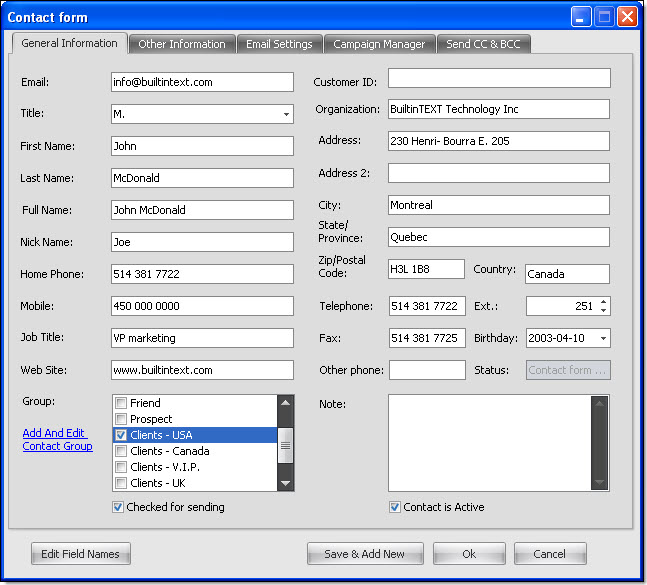
If you click on the “Save & Add new” button, your data will be saved and the program will show an empty contact information card. Enter your data and click on the “Ok” button to save and close the dialog box.