Export all the contacts |
  
|
Export all the contacts |
|
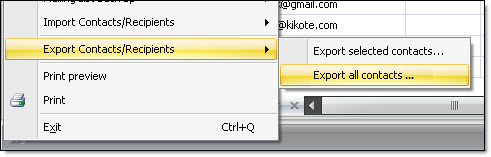
Click on the “Contacts list” tab, then, from the “File” menu select “Export contacts/Recipients” and then select “Export all contacts...”. The “Export contacts” dialog box will be displayed.
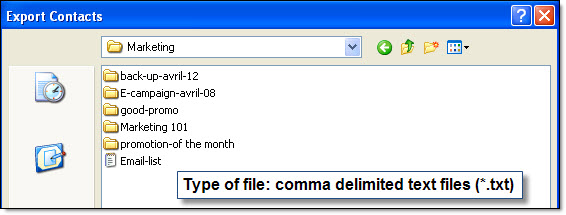
Give a name to your contact list and save it. After finishing the export process of all your contacts, click on the “Ok” button to confirm everything. The contacts will be saved in a text document (.txt).
Note: Mass Mailing News will notify you the total number of exported contacts. You must have the professional’s edition to be able to export contacts. If you don’t have the professional’s edition and you want to update the program, please contact your reseller or Management-Ware Solutions through the following website: www.management-ware.com