Activate or upgrade the program |
  
|
Activate or upgrade the program |
|
If you own the free edition of the email program, or if you want to upgrade your paid edition, then, from the taskbar, go to the “Help” menu and select “Activate or upgrade the program”.
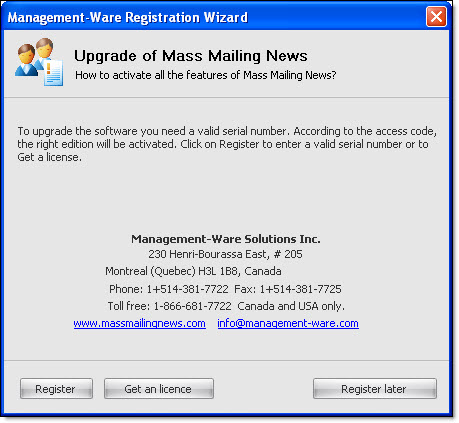
To obtain a valid license, place your order online through the Management-Ware Solutions Website (www.management-ware.com) and after the purchase, you will receive a confirmation email that will contain a unique serial number. Once you have your serial number, click on the “Help” menu and select “Activate or upgrade the product...”, then, click on the “Register” button.
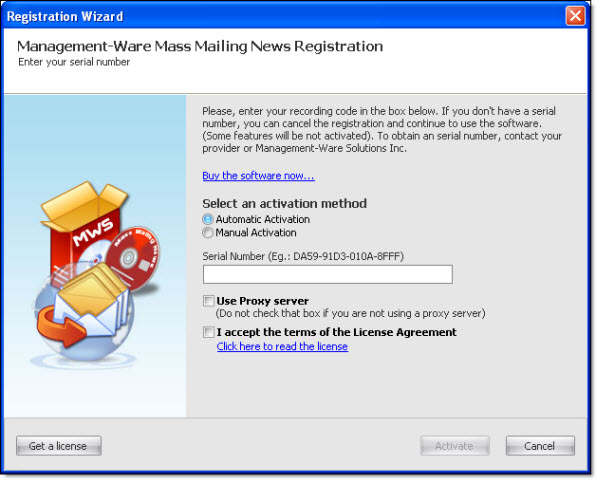
After, in the field “Serial number”, copy/paste your serial number or enter it manually in the field. Finally, accept the license terms and click on the “Activate” button to fully activate the features of your license.
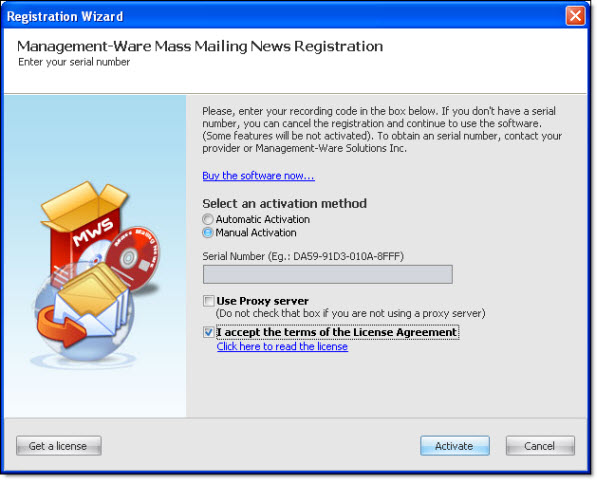
1) If you serial number is valid and you cannot validate it automatically, then select “Manual Activation”, accept the license terms and click on the “Activate” button.
2) Copy the information (e.g.: 0000015900000689) that is displayed in the field “Your computer ID”. Then, send us an online support request and in your email, send us this information. Once your email is sent, give us a reasonable deadline to answer you.
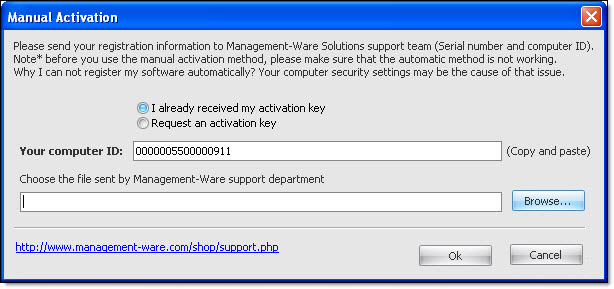
3) In the response email, you will receive an attachment. You will have to save the attachment on your computer and then, click again on the “Help” menu.
4) Select “Activate or upgrade the product...” and click on the “Register” button.
5) Select “Manual activation”, then accept the terms of the license and click on the “Activate” button.
6) Click on the “Browse” button to select and open the attachment Management-Ware Solutions sent you.
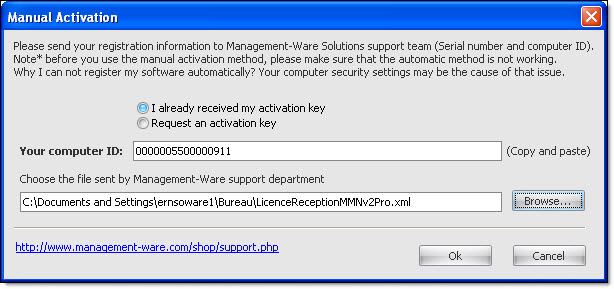
7) Click on the “Ok” button to activate all of the features of your edition. In the program header, you will see the name and the edition of the software.