Create New mailing List |
  
|
Create New mailing List |
|
Mass Mailing News is a flexible bulk email marketing software. You can create a new mailing list by entering the relevant information into the contact form.
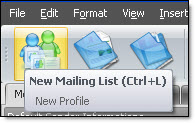
On the taskbar, go directly to the “New mailing list” icon. If you were copywriting a campaign, the program will ask you to save, ignore or cancel the modifications. Make your selection and the program will create an empty list. Here, the content of the campaign will stay the same; it is the contact list that will be empty. You can create or import a new contact list and give a name to the campaign.