Save button in Mass Mailing News |
  
|
Save button in Mass Mailing News |
|
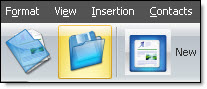
If you have just created a new message and wish to save it, then, on the taskbar, click on the “Save” button. The “Save the mailing list...” dialog box will be displayed automatically. Give your document a name and click on the “Save” button. If it is an existing document, just click on the “Save” button and the program will save the list.
Note: The contact lists created with the Mass Mailing News program has the extension .ecl.