Hourly sending controller |
  
|
Hourly sending controller |
|
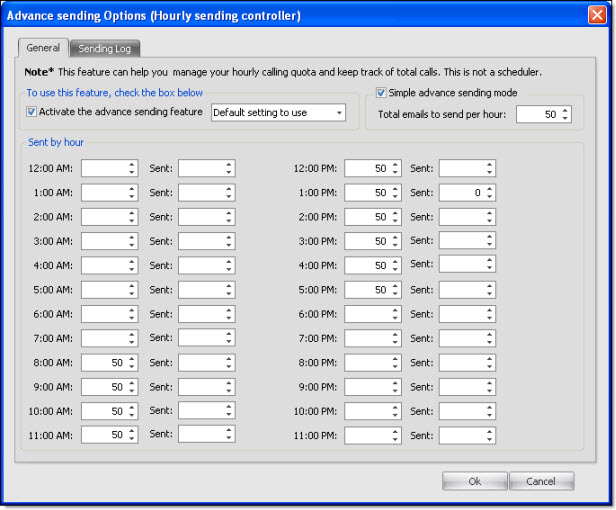
On the taskbar, go to “Send”. Then select “Hourly sending controller”. The “ Advanced sending options ” dialog box will appear automatically. In order to use this module, you must of course, activate it!
If your Internet Service Provider limits your sending per hour, then you should use this module in order to control the flow of your sending.
For example, if a user wants to send a message to his 500 contacts and his Internet Service Provider does not allow him to send more than 50 messages per hour, he can choose the hours during which he wants to send his messages. For example, in this case, after each sending of 50 messages, the program will make a pause until the next hour. The software cannot exceed the quota of the Internet Service Provider or hosting company.