Import contacts/recipients in Mass Mailing News |
  
|
Import contacts/recipients in Mass Mailing News |
|
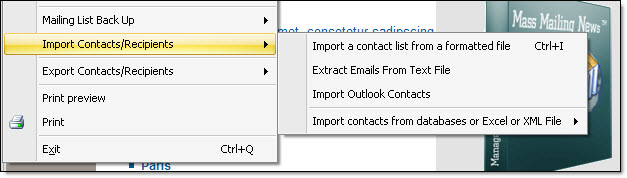
From the “File” menu, you can import your contacts. By selecting “Import contacts/recipients” you will see a sub category that will be displayed:
- Import a contact list from a formatted file
- Extract email from text file
- Import Outlook contacts
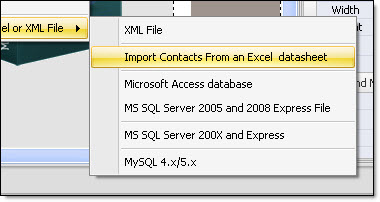
- Import contacts from databases or Excel or XML file
- XML file
- Import contacts from an Excel datasheet
- Microsoft Access database
- MS SQL Server 2005 and 2008 Express file
- MS SQL Server 200x and Express
- MySQL 4.x/5.x
Note: You can also access these four modes from the “Contacts” menu.