The Rulers in our bulk emailing application |
  
|
The Rulers in our bulk emailing application |
|
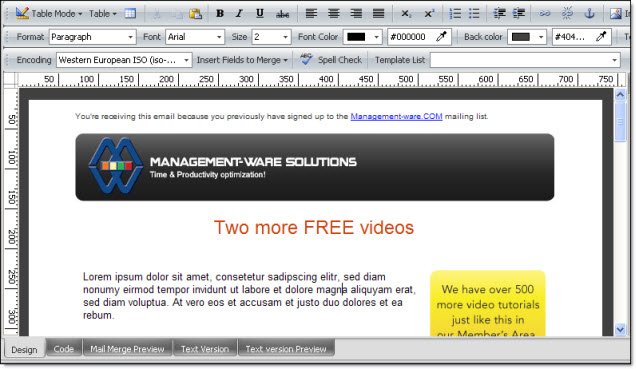
To display the rulers in our bulk emailing application, just click on “View”, then on “Rulers”, the “Pixels” mode is selected by default, you need to select “Show rulers” to show the editor’s rulers.
By using this view mode, you will have all the flexibility needed to modify or adjust your creations to the millimeter. To hide the rulers in the bulk emailing software, just uncheck “Show rulers”. The image below shows the rulers on the page.
With Management-Ware Mass Mailing News you can create, launch and track email campaigns.
Note: Our mass email marketing software allows you to send all kind of messages: from simple newsletters to complex campaigns addressed to thousands of subscribers of your e-mailing list. Try our Mass Mailing News, our desktop email marketing software today and you will not regret it!