Show Header Panel in Mass Mailing News |
  
|
Show Header Panel in Mass Mailing News |
|
This email program offers you complete flexibility to move the titles of the fields.
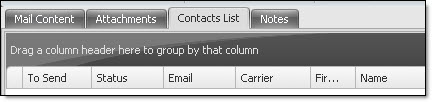
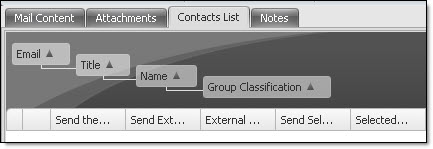
If you find that this email sender software has too many fields and you wish to optimize the grouping, first, click on the “Contacts List” tab, and then in the taskbar, point your cursor on “View” and select “Show Contact List Group Header Panel”. The item will be checked. Then, just click and drag the titles of the columns onto the panel that indicates “Drag a column header here to group by that column”. This image below shows a group that contains the following columns: email, title, name and group classification. If you are not satisfied with the group, you can replace the titles of the columns in the fields’ taskbar.