Email header in Mass Mailing News |
  
|
Email header in Mass Mailing News |
|
Email header in Mass Mailing News. The email header is the information that travels with every email, containing details about the sender, route and receiver.
For the email header, you can:
- Use the default X-Mailer (MWS Mass Mailing News)
- Choose to not use the X-Mailer. This selection is not recommended because certain POP could reject your emails.
- Use Custom (e.g.: Name of your business)
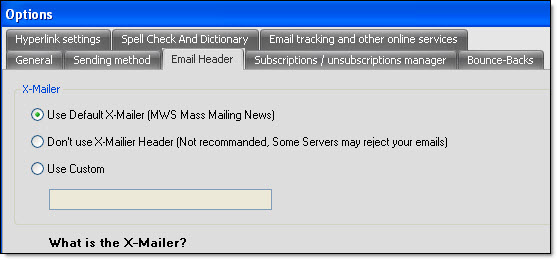
Once you have made a choice, click on the “Ok” button to close the dialog box and to save the data.
What is X-Mailer?
The X-Mailer is a field that is inserted in the message header and that is used to indicate the name of the software that sent the email.
If you click on the “Default” button, the program will reset the program settings to zero. Therefore, you will lose all of your data and you will have to reenter all of your information. After clicking on the “Default” button, you will need to confirm your choice. If you click “Yes”, you will not be able to retrieve your data.