Extract email addresses from a text file |
  
|
Extract email addresses from a text file |
|
Use our bulk email software to extract email addresses from one or multiple text files.
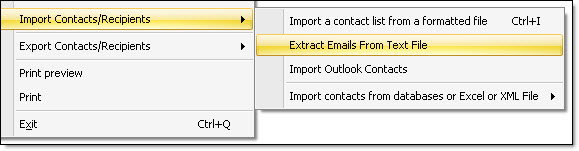
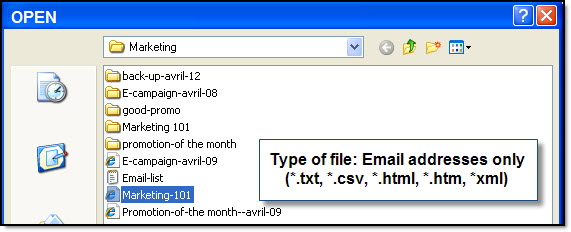
From the “File” menu, select “Import contacts/Recipients” and then, select “Extract Emails from text file”. The “Open” dialog box will be displayed. Select one or more text documents then click on the “Open” button.
Your e-mail addresses will be automatically imported in the program Mass Mailing News. After finishing the importation process of all your contacts, click on the “Ok” button to confirm everything. It’s simple and quick!
Note: Only e-mail addresses are imported. Mass Mailing News will delete duplicated e-mail addresses. Additionally, Mass Mailing News will notify you the total number of imported contacts.