Insert symbol or special characters |
  
|
Insert symbol or special characters |
|
Management Ware Mass Mailing News allows you to add symbols and special characters
Steps for inserting a symbol or a special character in a message:
1.You need to be on the “Message editor” tab.
2.Place your cursor on the location where you want to insert a symbol or a special character.
3.On the taskbar, go to the “Insertion” menu and then click on “Insert symbol or special characters”. The “Insertion symbol” dialog box will be displayed automatically.
4.Select your symbol or special character and click on the “Insert” button. After the adding process, the”Insertion symbol” dialog box will be closed automatically.
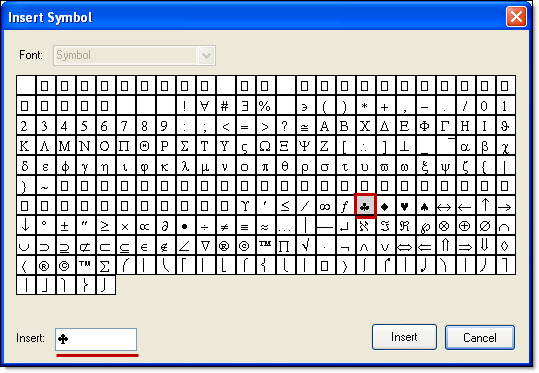
If you want to close the “Insertion symbol” dialog box, just click on the “Cancel” button. If you click on “Cancel”, there will be no adding and your data will not be saved.