Open recent files with our desktop email software |
  
|
Open recent files with our desktop email software |
|
Open quickly recent files with our desktop email software and newsletter software.
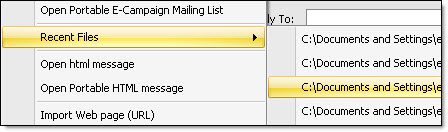
Rapidly access the recent files that you have used. You only have to select the right file and Mass Mailing News will open it! Simple and quick!
How to do it? From the tasks bar, click on “File”, and then select “Recent files”.
Note: This functionality is available only in the paid versions of the software.