Assign a customer representative to all the contacts |
  
|
Assign a customer representative to all the contacts |
|
Assign a customer representative to all the contacts in Mass Mailing News. First, click on the “Contacts list” tab and, from the “Tools” menu, select “Assign a customer representative to all contacts”. The “Add a contact manager” dialog box will be displayed automatically. Manually add your data in the appropriate fields. Then check the “Use sender’s information” box and click on the “Ok” button to save.
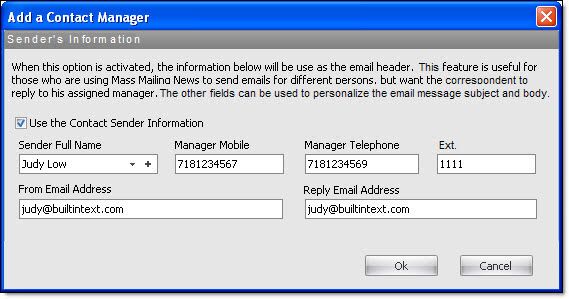
Note: It is not necessary to select all the contacts in order for you to add a customer representative to all the contacts of the list.