Check the selections in Mass Mailing News |
  
|
Check the selections in Mass Mailing News |
|
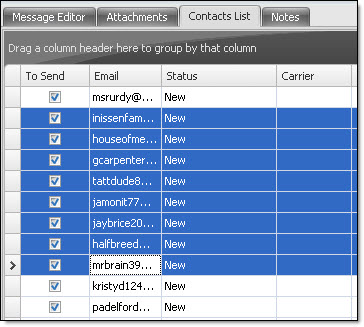
It's really easy to check the select in Mass Mailing News. From the taskbar, go to the “Contacts” menu and select “Check selected”.
What do you have to do in order to select and check many email addresses at the same time? To select many email addresses at the same time, press the control key (Ctrl) on your keyboard and without releasing the key select the email addresses you want. Then, from the taskbar, go to the “Contacts” menu and select “Check selected”. The selected contacts will be checked.
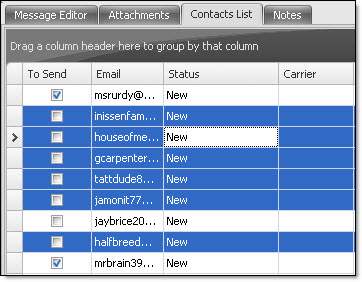
What do you have to do in order to select and check a group of contacts? To select a group of contacts, select the first contact of the group and at the same time, press the Shift key on your keyboard and without releasing the key select the last contact of the group. Then, from the taskbar, go to the “Contacts” menu and select “Check the selections”. The selected contacts will be checked.
Note: To have access to all these items from the “Contacts” menu, first, click on the “Contacts list” tab. All the options will be activated.