Link Library in Mass Mailing News |
  
|
Link Library in Mass Mailing News |
|
Why reenter the links when you can create a list of hyperlinks? Create you list and then just add the links to your messages!
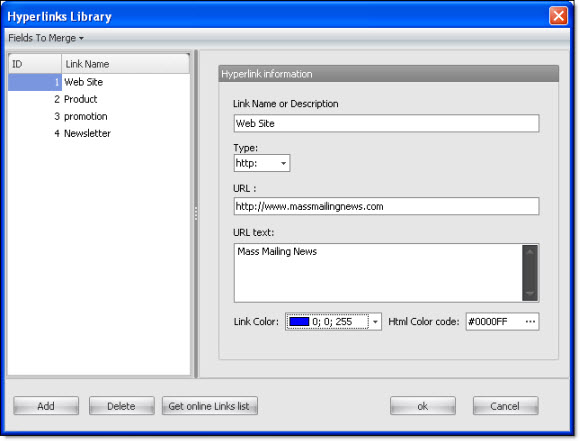
To create your list of links, click on the “Tools” menu and select “Link library”. The “List of Hyperlinks” dialog box will be displayed. Click on “Add” to add an address to the list.
1) Select the type of links (ex.: “http:” for URL addresses or “mailto:” for email addresses).
2) Give a name to your link (ex.: Business Website).
3) Enter your address.
4) Enter the link text.