Select and insert a link that comes from the hyperlinks list? |
  
|
Select and insert a link that comes from the hyperlinks list? |
|
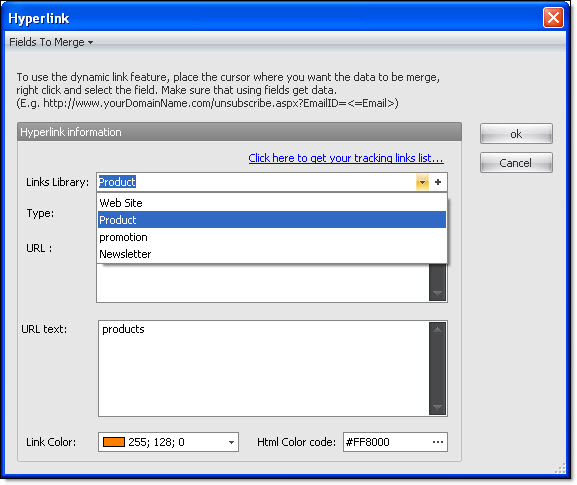
In the “Message editor”, select the word or group of words and click on the “Hyperlink” icon. The “Hyperlink” dialog box will be displayed. In the field “Links library”, beside the “+” button, click on the small arrow to display the list of hyperlinks. Make your choice and click on the “Ok” button to insert the link to the message.