Online service settings - Email tracking service |
  
|
Online service settings - Email tracking service |
|
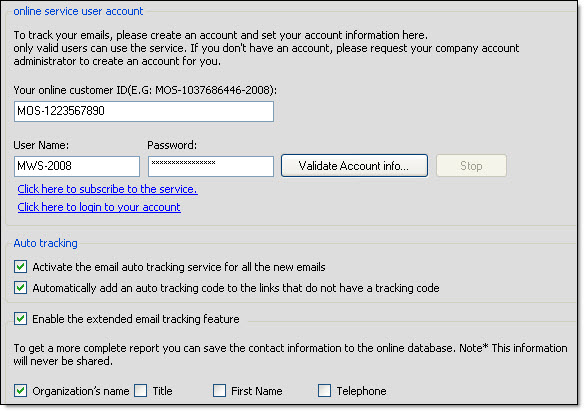
From the taskbar, go to the “Send” menu and select “Online service settings”. The “Options” dialog box will be displayed automatically. To find out more about the information that you should enter in this section, please refer to the help section that deals with options and more particularly see the topic that deals with the “Message tracking and other online services”.
Management-Ware Solutions provides online email tracking service to monitor the impressions, the openings and clicks of your email marketing campaigns. You pay only for successful email tracking when a user opens your message or clicks any link inside the message.