Quick access to the column chooser |
  
|
Quick access to the column chooser |
|
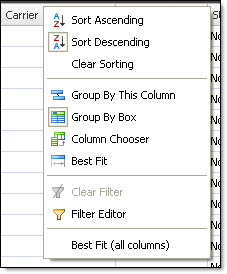
To quickly access the column chooser in Mass Mailing News, you need to:
1) Click on the “Contacts list” tab.
2) Click on the fields’ bar that contain the titles and click on the right side of you computer mouse.
3) Select “Column Chooser”.
4) The “Customization” dialog box will be displayed. After, follow the following steps.