Set email message per contact |
  
|
Set email message per contact |
|
The program will let you configure a different and unique message for many or for all contacts on your list.
From the “Tools” menu, select “Set email message per contact" and select between “For all selected contacts” or “For all contacts”. Once you have made your choice, the “Email per contact” dialog box will be displayed. Make your choice and click on the “Ok” button to save and confirm your choice.
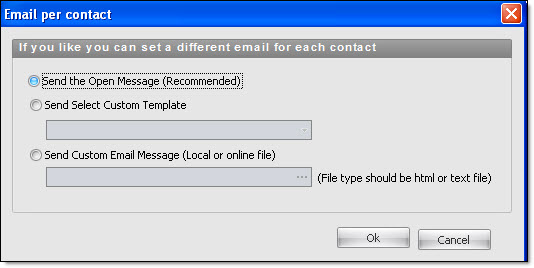
Note: We strongly recommend that you send the message that is opened in the message editor. If you opt for the other choices, you could lose some of the page layouts.