Show notes group header panel |
  
|
Show notes group header panel |
|
This mass emailing program offers complete flexibility to move the titles of the fields.
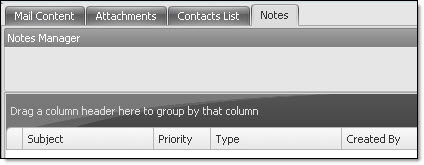
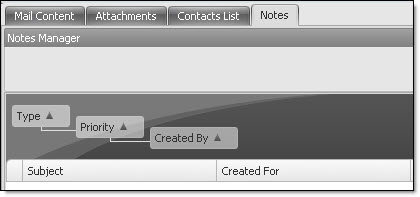
If you find that this email sender software contains too many fields and wish to optimize the grouping, first click on the “Contacts List” tab, and then on the taskbar, point your cursor on “View” and select “Show notes group header panel” . The item will be checked. Next, just click and drag directly on the titles of the columns onto the panel indicating. “Drag a column header here to group by that column”.
Note: Our mass email marketing software allows you to send all kind of messages: from simple newsletters to complex campaigns addressed to thousands of subscribers of your e-mailing list. Try our Mass Mailing News, our desktop email marketing software today and you will not regret it!