Unsubscription from emails |
  
|
Unsubscription from emails |
|
The unsubscription from an email is done the same way as subscription from an email.
From the taskbar, go to the “Subscriptions” menu and select “Unsubscription from email". The “MWS Email Reception” dialog box will be displayed automatically.
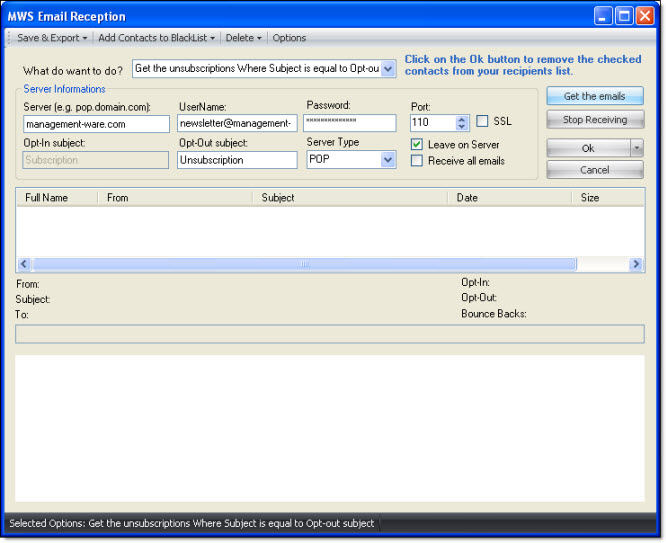
1.First you need to set the “Subscriptions and unsubscriptions” module and to enter the proper information concerning your server. (See the “Options” section and particularly see the section that deals with subscriptions and unsubscriptions and bounce-backs). If you already have entered the information concerning your server, just click on the“Get the emails” button.
2.Once the emails are displayed, just click on the “Ok” button to remove the contacts that are checked in your contact list.
You can, at any time, stop the import of the unsubscription emails or cancel the import request. To cancel, just click on the “Cancel” button. If you click on “Cancel, your data will not be saved and the “MWS Email Reception” dialog box will be closed.
Note: From the “MWS Email Reception” dialog box, you can save and export contacts, add contacts on the blacklists, delete messages on the server, display the options, empty a contact list and view the help.