Additional merging fields |
  
|
Additional merging fields |
|
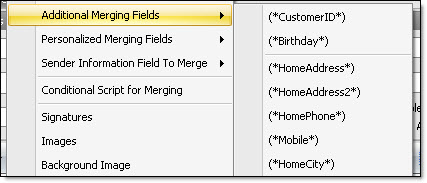
Customer ID: (*CustomerID*) Birthday: (*Birthday*) Home address: (*HomeAddress*) Home address 2: (*HomeAddress2*) Home phone: (*HomePhone*) Mobile: (*Mobile*) Home city: (*HomeCity*) Home state/province: (*HomeState/Province*) Home zip code: (*HomeZipCode*) Home country: (*HomeCountry*) |
Other address: (*OtherAddress*) Other address 2: (*OtherAddress2*) Other city: (*OtherCity*) Other state/province: (*OtherState*) Other zip code: (*OtherZipCode*) Other country: (*OtherCountry*) Addition date: (*DateAdd*) Last sending date: (*LastSendDate*) Total sent: (*TotalSent*) Total viewed: (*TotalViews*) Total clicks: (*TotalClicks*) |
There are two different ways to insert a merging field into a message. The insertion can be done from the “Insertion” menu, or from a shortcut you can access by clicking on the right button of your mouse. * See the previous steps to find out how to insert a merging field into a message.