Sender’s information field to merge |
  
|
Sender’s information field to merge |
|
Sender’s name: (*FromName*)
Email address to reply to: (*ReplyEmail*)
Customer representative full name: (*CMFullName*)
Customer representative phone: (*CMPhone*)
Customer representative extension: (*CMExt*)
Customer representative mobile: (*CMMobile*)
Customer representative email: (*CMFromEmail*)
Customer representative reply email: (*CMReplyEmail*)
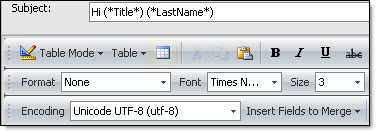
Insert a merging field in the subject.
The merging fields can also be inserted in the message subject. To do so: Place your cursor in the subject field and right click on your mouse.