Create a new email with our mass mailer |
  
|
Create a new email with our mass mailer |
|
It easy to create a new email message with Management-Ware Mass Mailing News. This mass mailer program allows you to create, launch and track email campaigns.
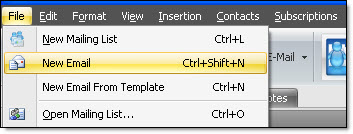
From the tasks tool bar, click on “File”, and then select “New email”.
If you were creating an email or if you have an email in the message editor and for any reason you decide to create a new email, a pop up window will ask you to save or cancel the content of your message. After having made a choice, you could create a new email. Your e-mail editor will be empty and your contact list will remain intact.