How to save the mailing list in Mass Mailing News? |
  
|
How to save the mailing list in Mass Mailing News? |
|
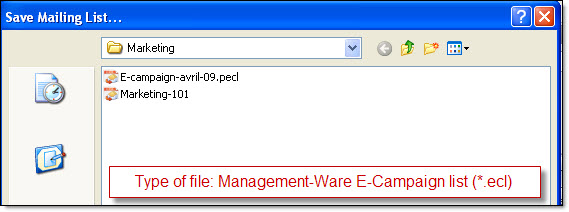
In Mass Mailing News - from the “File” menu, select “Save the mailing list as…”. The “Save the mailing list...” dialog box will be displayed. Give a name to your email template (E.g.: “batch-email-01”) and click on the “Save” button.
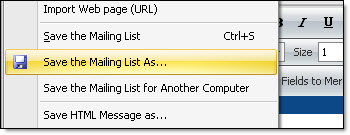
Program to send mass emails | Save the mailing list dialog box
Note: Free bulk email software for targeted email marketing campaigns and email lists building. Create and send bulk HTML email campaigns. Boost your bulk email marketing now.