Table properties - view and modify the properties |
  
|
Table properties - view and modify the properties |
|
You can view and modify the properties of a table at any time. To display the properties of a table, first, you need to click on the table and, on the taskbar, go to the “Insertion” menu and select “Table”. The “Table Properties” dialog box will be displayed. Modify as necessary and then click on the “Ok” button.
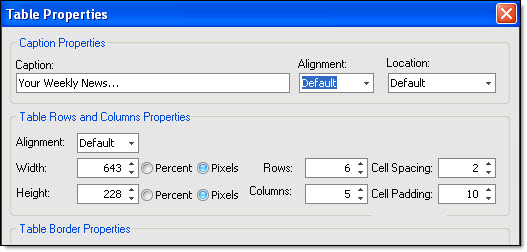
Note: you can quickly access the properties of your table. To quickly access, click on the table, right click on your mouse, select “Table” and select “Insert or Edit Table”. Modify as necessary and click on “Insert”.