Change contact status in Mass Mailing News |
  
|
Change contact status in Mass Mailing News |
|
Yes it's possible to change the contact status. See the instructions below.

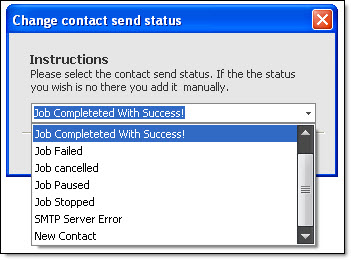
In order to change the contact status, you must click on the “Contacts List” tab. On the “Tools” menu, go to “Change contacts status.” Make a choice and the “Change contact send status” dialog box will appear. Enter a status or select one from the drop down list. Finally, confirm your choice in order to save the new status.