Enable editing on contact list table |
  
|
Enable editing on contact list table |
|
You want to edit a table in Mass Mailing News? From the “Edit” menu, select “Enable editing on contact list table”, then click on an item.
To be able to use this option, you must be in the “Contacts list” tab. Mass Mailing News gives you the chance to edit, directly in the tables, the contact data located in you contact list.
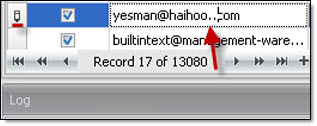
Note: “Enable editing on contact list table” option need to be selected. If this option is not selected, than you will not be able to modify the table data. Nevertheless, you will always be able to modify the contact data in the properties dialog box. You can access the properties dialog box by double clicking on a contact.