Status included in the message queue |
  
|
Status included in the message queue |
|
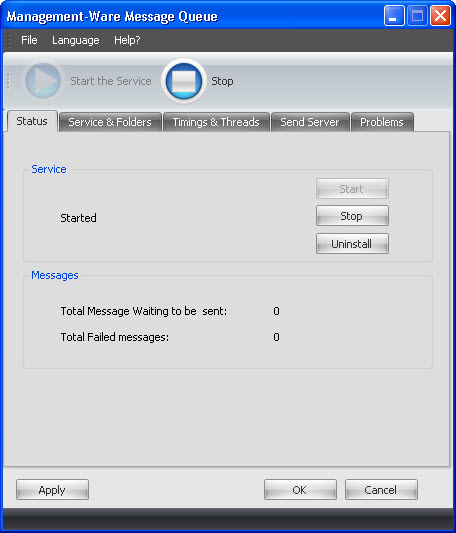
The "Start"/ “Stop”" buttons start and stop the Message Queue service. When the service is started, it periodically scans Queue Directory for new messages and submits them to the SMTP server. When the service is stopped, no activity is performed.
The "Total Messages Waiting To Be Sent" message displays the number of messages that have not been sent yet and that are currently located in the Queue Directory (these are files with an .eml extension). If "N/A" is displayed, this means that the Queue Directory cannot be accessed.
The "Total Failed Messages" message displays the number of messages that were rejected by the SMTP server and whose extension has been changed to .failed . If "N/A" is displayed, this means that the Queue Directory cannot be accessed.
Note* If the "Always Delete Failed Messages" checkbox is checked, failed messages will not be renamed but deleted. Thus, the “Total Failed messages” message will display zero.
To save your data, click on the “Apply” or the “OK” button.
To cancel, you just need to click on the “Cancel” button. If you click on the “Cancel” button, your data will not be saved.