Service and folders message queue |
  
|
Service and folders message queue |
|
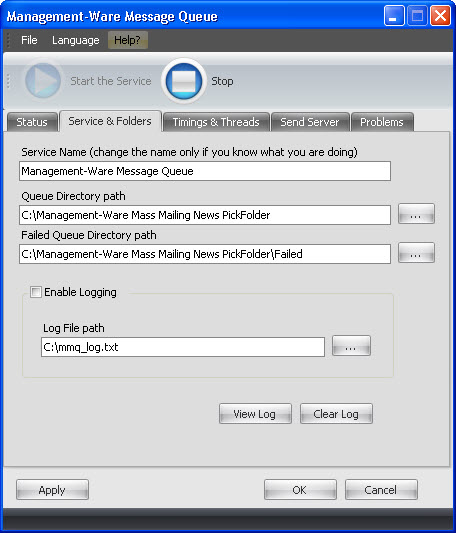
The "Service Name" field contains the name of the Management Ware Message Queue dialog boxs service. It usually is «Management Ware Message Queue Manager". You can change it if you need to have multiple MWMQ running simultaneously.
Queue Directory Path points to the folder where message files are stored. It is the same path used in the QueueDirPath parameter of SMTP.SendToQueue method.
Failed Queue Directory Path points to the folder where failed message files are stored.
Enable Logging allows logging Message Queue's activity into a file. If logging is off, Control Panel will be unable to detect any errors preventing Message Queue from successful operation.
Log File Path points to the log file.
View Log button displays the file under Log File Path.
Clear Log button allows to clear log file contents.
Note: The log file is automatically cleared when Message Queue service starts.
To save your data, click on the “Apply” or the “OK” button.
To cancel, you just need to click on the “Cancel” button. If you click on the “Cancel” button, your data will not be saved.